monitoring
LibreNMS
Open-source auto-discovering network monitoring system with SNMP support and alerting.
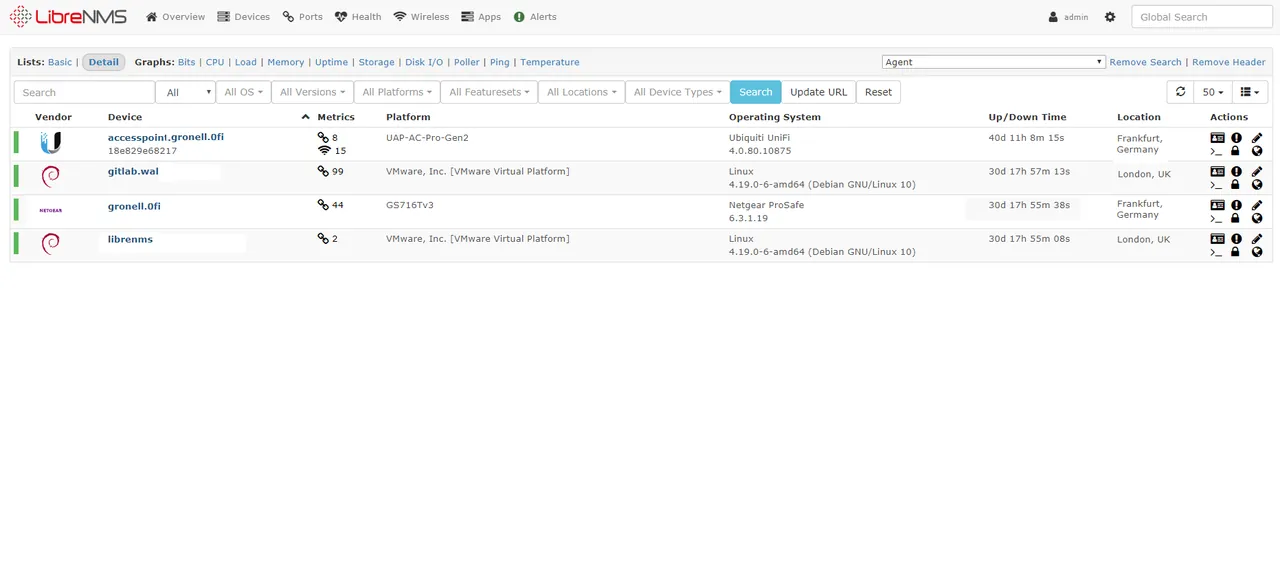
Overview
LibreNMS is a network monitoring system developed and maintained by an open-source community. It is built around automatic discovery of network devices and infrastructure, aiming to reduce the manual configuration typically required to bring devices under monitoring. LibreNMS originated as a community fork within the broader ecosystem of SNMP-based monitoring tools and has continued as an independently maintained open-source project.
Key capabilities
LibreNMS relies primarily on SNMP to discover and monitor devices, automatically identifying hosts on a network, enumerating their interfaces and services, and beginning to collect performance data with minimal manual setup. This auto-discovery extends to ports and, depending on device type, other services running on discovered hosts, which helps keep the monitored inventory up to date as infrastructure changes.
On top of discovery and data collection, LibreNMS provides an alerting system with flexible, rule-based conditions, allowing administrators to define what constitutes a problem and how it should be escalated. Collected metrics are presented through graphing for historical trend analysis, and the platform exposes an API for integrating monitoring data with other systems or automating configuration. LibreNMS also supports distributed polling, letting the workload of checking devices be spread across multiple polling nodes for larger or geographically dispersed networks. It integrates with a number of external tools, including various alerting transports for routing notifications to different channels, and with Oxidized for automated network device configuration backup.
Typical use cases
LibreNMS is commonly used by network administrators who need visibility into switches, routers, firewalls, and other SNMP-capable infrastructure without manually defining every device and metric to monitor. Its auto-discovery makes it a practical fit for networks that grow or change frequently, since new devices can be picked up with limited manual intervention. It is also used in combination with configuration backup tools like Oxidized to pair monitoring with configuration change tracking, and its API supports organizations that want to feed network monitoring data into dashboards, ticketing systems, or other internal tooling.
Licensing and pricing
LibreNMS is released as open-source software under the GNU General Public License version 3 (GPLv3) and is free to download, install, and use. As a community-developed project, there is no vendor selling tiered commercial licenses for the core software. Organizations should still consult LibreNMS’s official website and documentation for the most current information on the project, its licensing terms, and any community or hosting-related services that may be referenced there.
Platform support
LibreNMS is designed to run on Linux. A typical installation includes the LibreNMS application stack along with a web server and database backend on a Linux host. Because monitoring is performed largely through SNMP, a protocol supported by the vast majority of network hardware and many server operating systems, LibreNMS can monitor a wide range of device types and platforms without requiring an agent to be installed on every monitored host.
Getting started
LibreNMS is obtained from the project’s official website and its official source repositories; this catalog does not host installers or distribute the software directly. Setup generally involves installing LibreNMS and its dependencies on a Linux server, adding devices via SNMP (or allowing auto-discovery to find them), and configuring alerting rules and any desired integrations, such as Oxidized for configuration backup or a preferred alerting transport. Administrators new to the project are encouraged to review the official documentation for installation prerequisites, supported SNMP configurations, and guidance on scaling to distributed polling as the monitored network grows. Additional information is available at https://www.librenms.org.
Where to download
Downloads are hosted by LibreNMS Community on their official website. The button below opens that site — we never host installers.
same segment
Alternatives in Monitoring
All-in-one infrastructure monitoring with sensor-based licensing and a free tier.
by PaesslerOpen-source enterprise monitoring for networks, servers, cloud and applications.
by ZabbixLong-standing open-source monitoring engine for hosts, services and network devices.
by Nagios Enterprises