monitoring
PRTG Network Monitor
All-in-one infrastructure monitoring with sensor-based licensing and a free tier.
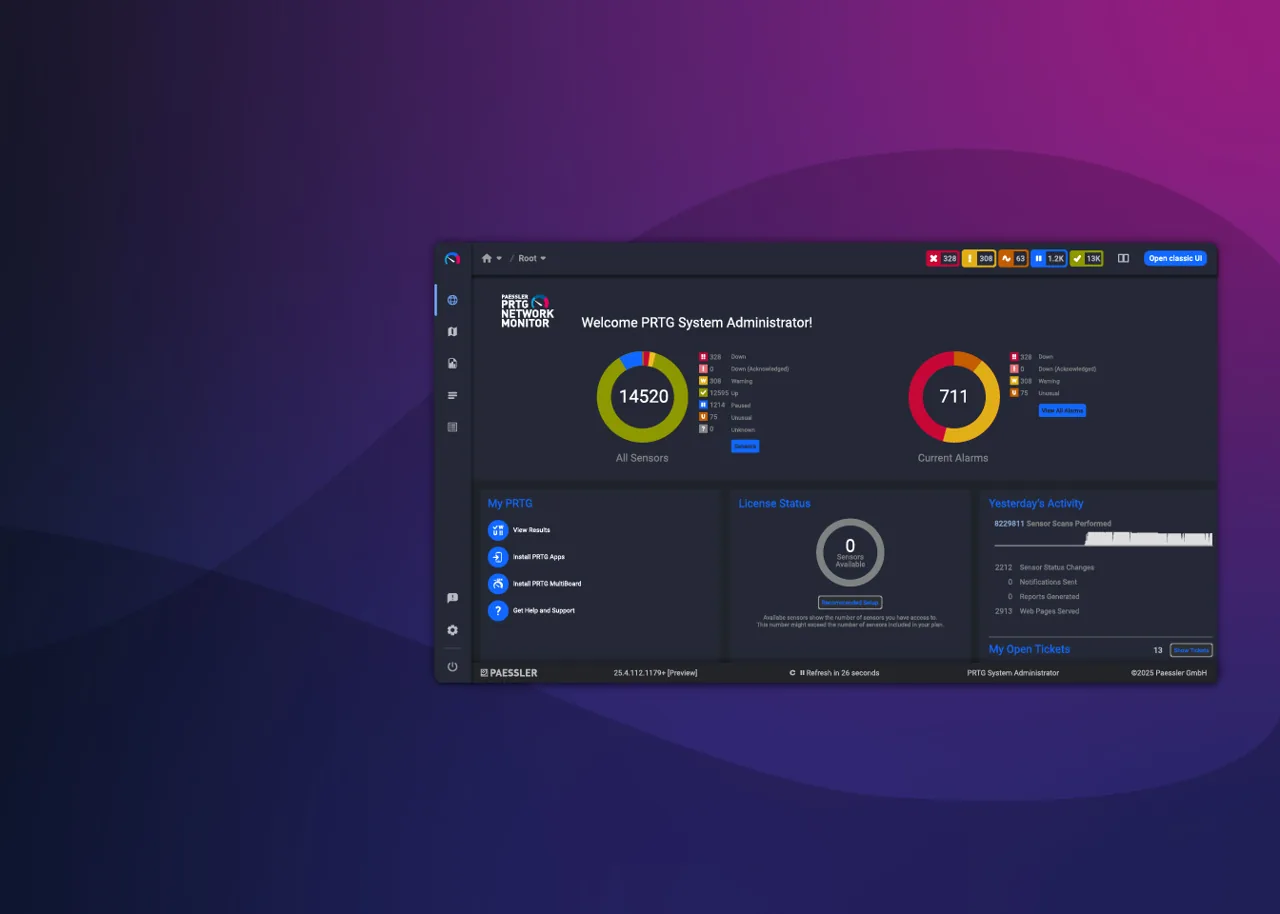
Overview
PRTG Network Monitor is an all-in-one infrastructure monitoring application developed by Paessler AG. It is designed to give administrators a single console for tracking the availability and performance of networks, servers, applications, and connected devices. Rather than requiring separate tools for different monitoring tasks, PRTG bundles multiple monitoring technologies into one product, organized around individual monitoring units called sensors. PRTG and Paessler are trademarks of Paessler AG.
Key capabilities
PRTG collects data using several distinct methods, which administrators combine depending on what needs to be observed. Supported technologies include SNMP for polling network devices, packet sniffing for analyzing traffic passing through a network segment, flow-based monitoring using NetFlow, sFlow, and jFlow, WMI for gathering data from Windows systems, HTTP-based checks for web services, and ICMP ping for basic reachability testing.
Each monitored metric — such as bandwidth on an interface, CPU load on a server, or response time of a web page — is represented as a sensor, and the total number of active sensors determines the scale of a deployment and, for paid tiers, the license required. Beyond data collection, PRTG provides configurable dashboards for visualizing status at a glance, network maps that represent topology and device relationships, threshold-based alerting with multiple notification channels, and scheduled or on-demand reporting for historical analysis. Administrators can also organize devices into groups, apply monitoring templates, and set up dependencies so that alerts are suppressed when a parent device is unreachable.
Typical use cases
PRTG is commonly deployed by IT teams responsible for monitoring on-premises networks, data center infrastructure, and hybrid environments that include cloud-hosted resources. Typical scenarios include tracking bandwidth utilization on routers and switches, monitoring server health and resource consumption, watching the uptime and response time of internal or public-facing web applications, and keeping tabs on virtualized infrastructure. Because it supports several monitoring protocols simultaneously, it is often used in mixed-vendor environments where devices expose different management interfaces. Small and mid-sized IT departments frequently use it as a consolidated alternative to running multiple specialized monitoring tools.
Licensing and pricing
PRTG is offered under a commercial licensing model with a free usage tier: installations are free to run with a limited number of sensors, which suits small environments or evaluation purposes. Beyond that limit, PRTG is licensed by the number of active sensors, with different tiers scaling up to larger sensor counts, and options also exist for hosted (cloud) variants of the product. Paessler does not publish a single fixed price applicable to every deployment, since cost depends on sensor count and deployment type, so prospective users should consult Paessler’s official website for current pricing and license tiers rather than relying on third-party estimates.
Platform support
The PRTG core server is designed to run on Windows Server. Once installed, it monitors devices and services regardless of their own operating system, since most monitoring is performed remotely over standard network protocols (SNMP, WMI, HTTP, ICMP, and others) rather than through agents installed on every target. This means a single Windows-based PRTG installation can monitor Linux servers, network appliances, cloud services, and Windows machines alike. Access to dashboards and configuration is available through a web interface, along with desktop and mobile applications for viewing status and receiving alerts.
Getting started
PRTG is obtained directly from Paessler’s official website. This catalog does not host installers or distribute the software itself; downloading, installing, and licensing PRTG should be done through Paessler’s own channels to ensure authenticity and access to current versions. Before deploying PRTG in a production environment, administrators typically start with the free sensor tier to evaluate the product against their own network, confirm which monitoring technologies (SNMP, flow-based, WMI, or others) best fit their infrastructure, and then review Paessler’s published documentation for sizing and licensing guidance as sensor requirements grow. More information, including current system requirements and licensing details, is available at https://www.paessler.com/prtg.
Where to download
Downloads are hosted by Paessler on their official website. The button below opens that site — we never host installers.
same segment
Alternatives in Monitoring
Open-source enterprise monitoring for networks, servers, cloud and applications.
by ZabbixLong-standing open-source monitoring engine for hosts, services and network devices.
by Nagios EnterprisesNetwork and server monitoring with fault management and reporting.
by Zoho / ManageEngine